
WhatsApp Auto-Reply with AI: Personal Number, No Business API (15-Min Setup)
Set up an AI autoresponder on the WhatsApp number you already use — no Business API, no template approvals, no per-message fees. It reads each message, answers from your docs in 90+ languages, and you approve every reply until you trust it.
WhatsApp Business has a built-in away message — one canned line, sent the same way to every customer. This is something different: an AI that actually reads each message, finds the answer in your product docs, and writes a reply in the customer's language. About 15 minutes to set up. No Business API application required — it runs on your existing personal WhatsApp account, connected by scanning a QR code just like WhatsApp Web.
What AI Auto-Reply Actually Does
WhatsApp's built-in "auto-reply" is one canned line — "Thanks for reaching out, we'll get back to you soon."
What we built does something else. The AI actually reads the incoming message, digs through your uploaded product catalog, pricing sheets, and policy docs, and writes back a real response in whatever language the customer used.
A concrete example. A few weeks ago a customer in Mexico sent this in the middle of our night:
"Hola, quiero saber el precio de los paneles solares de 400W y si hacen envios a Mexico"
Eight seconds later the AI replied:
"Hola! Gracias por tu interes. Nuestros paneles solares de 400W tienen un precio FOB de $85 USD por unidad, con un pedido minimo de 100 unidades. Si realizamos envios a Mexico — el tiempo estimado de entrega es de 25-30 dias al puerto de Manzanillo. Te gustaria que te envie la ficha tecnica completa?"
Nobody touched it. The AI detected Spanish, matched the right 400W product, pulled the FOB price for that quantity tier, and asked a follow-up to keep the deal moving. The business owner was asleep.
The setup below works the same for exporters, e-commerce stores, and service businesses — the only thing that changes is what you put in the knowledge base.
How This Differs From Other "Auto-Reply" Tools
Three things tend to get called WhatsApp auto-reply.
First, the away and welcome messages built into WhatsApp Business. One canned message, no intelligence. Fine if you get five messages a day, clearly not enough beyond that.
Second, keyword chatbots. Customer says "price," send the price list. Says "shipping," send the FAQ. Works as long as the customer stays on a path you built — which, in real business, they rarely do.
Third is what this article is about. A language model reads each message, looks answers up in your business docs, and writes a reply in the customer's language. It handles questions you didn't anticipate because it reasons from your actual documents instead of following a script.
Auto-Reply on Your Personal WhatsApp Number — Without the Business API
You don't need the WhatsApp Business API for any of this. No Meta business verification, no BSP onboarding, no template approvals, no per-message fees. It runs on the WhatsApp account you already use — scan a QR code, exactly like WhatsApp Web, and the AI starts drafting replies on your existing personal number.
That's the practical difference from tools like WATI or Respond.io: they're built on the Business API, so getting started means verification and usually a separate, dedicated number. Here, if you can scan a QR code, you're set up — most people are replying with AI in about 15 minutes, on the same personal account their customers already message. (Compare the no-API route against the Business API and free auto-reply.)
Setting It Up
The whole thing takes about 15 minutes. Only one step really moves the needle on quality — the knowledge base.
Connect WhatsApp (2 minutes)
Download WhatsApp AI Pro, open it, scan the QR code with your phone. Same flow as connecting WhatsApp Web.
Create an AI agent
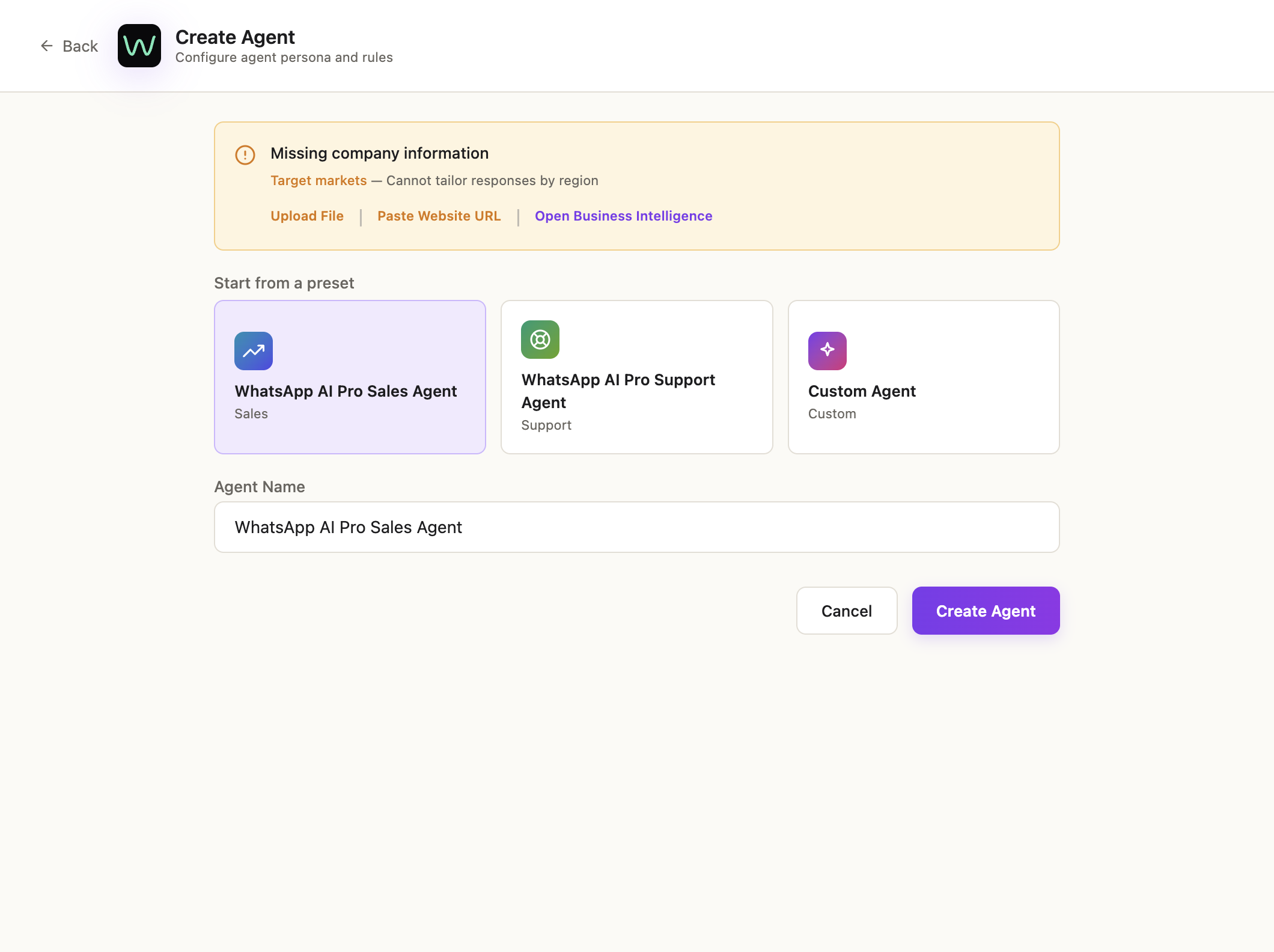
Open AI Nexus → Takeover Settings. Two starter agents come pre-configured; to make your own, click New Agent, pick a preset, and name it — Sales, Support, Follow-up — based on what you'll use it for.
Upload your knowledge base (the part that matters)
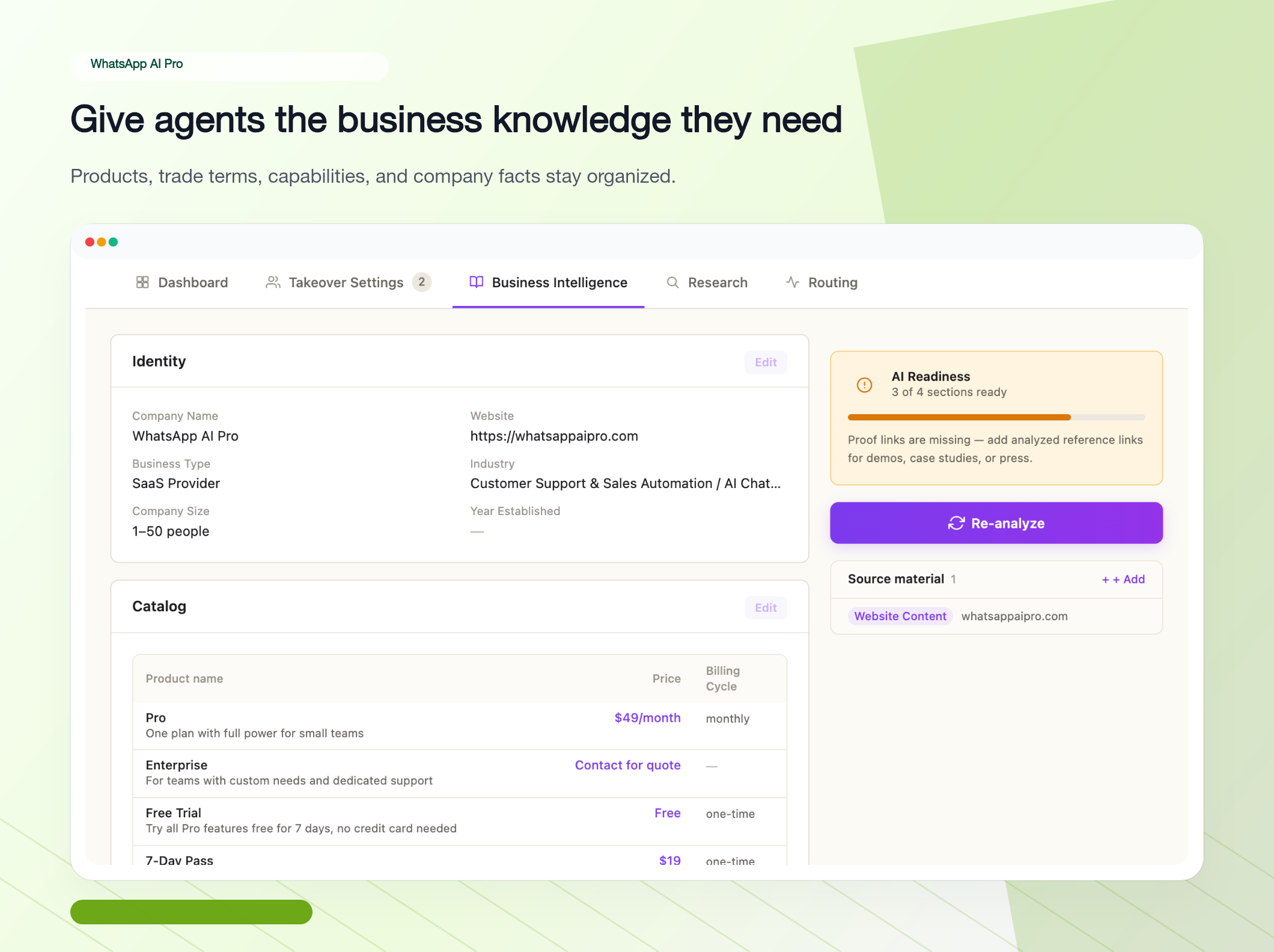
This step is what determines reply quality.
What to upload:
- Product catalog — PDF, Excel, or text. Names, model numbers, specs, images
- Pricing sheets with MOQs and tier discounts
- Shipping policies — methods, transit times by destination, costs
- Returns and warranty
- Company profile, certifications, partner brands
- Real FAQs (based on questions customers actually ask, not your marketing copy)
Don't try to upload everything at once. Look at what your sales team gets asked most often and start with those documents. The pattern we see most: 80% of early questions are about price, MOQ, and lead time — get those three docs in first and the AI handles the first week reasonably well.
Configure behavior and escalation
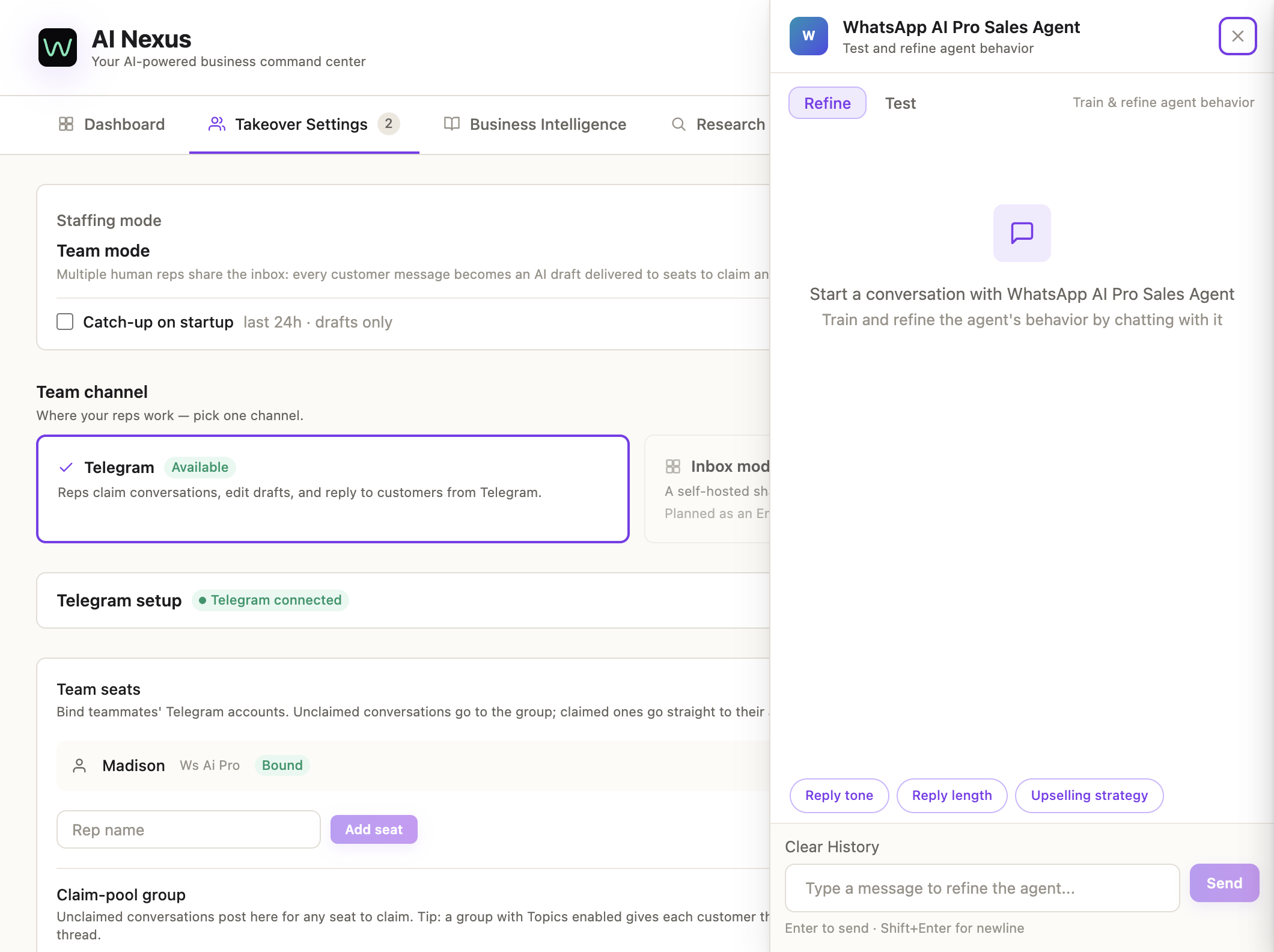
There's no settings form for this — you tell the agent how to behave by chatting with it. Click Chat on the agent card, switch to Refine, and give it plain-language instructions covering:
- Greeting style — formal, casual, or matching the customer's tone
- Language behavior — reply in the customer's language or default to one
- Pricing disclosure — share prices directly or qualify the lead first
- When the AI should hand off — customer asks for a human, conversation turns into a complaint or dispute, order value crosses a threshold, AI confidence drops below your floor
Start in draft mode
Right after install, don't flip straight to Auto. In Takeover Settings, the AI Mode switch has three settings — use Suggest for the first few days: the AI drafts, you review, you send. Watch how it handles things, where it's right, where it's off, then build trust before letting it run on its own.
| Mode | Use it for |
|---|---|
| Suggest | First week — review every reply before sending |
| Auto | Once you trust it (a confirmation dialog and an on-screen AUTO MODE banner keep it visible) |
| Watch | AI observes and builds customer profiles, doesn't reply — pure learning mode |
Once It's Running
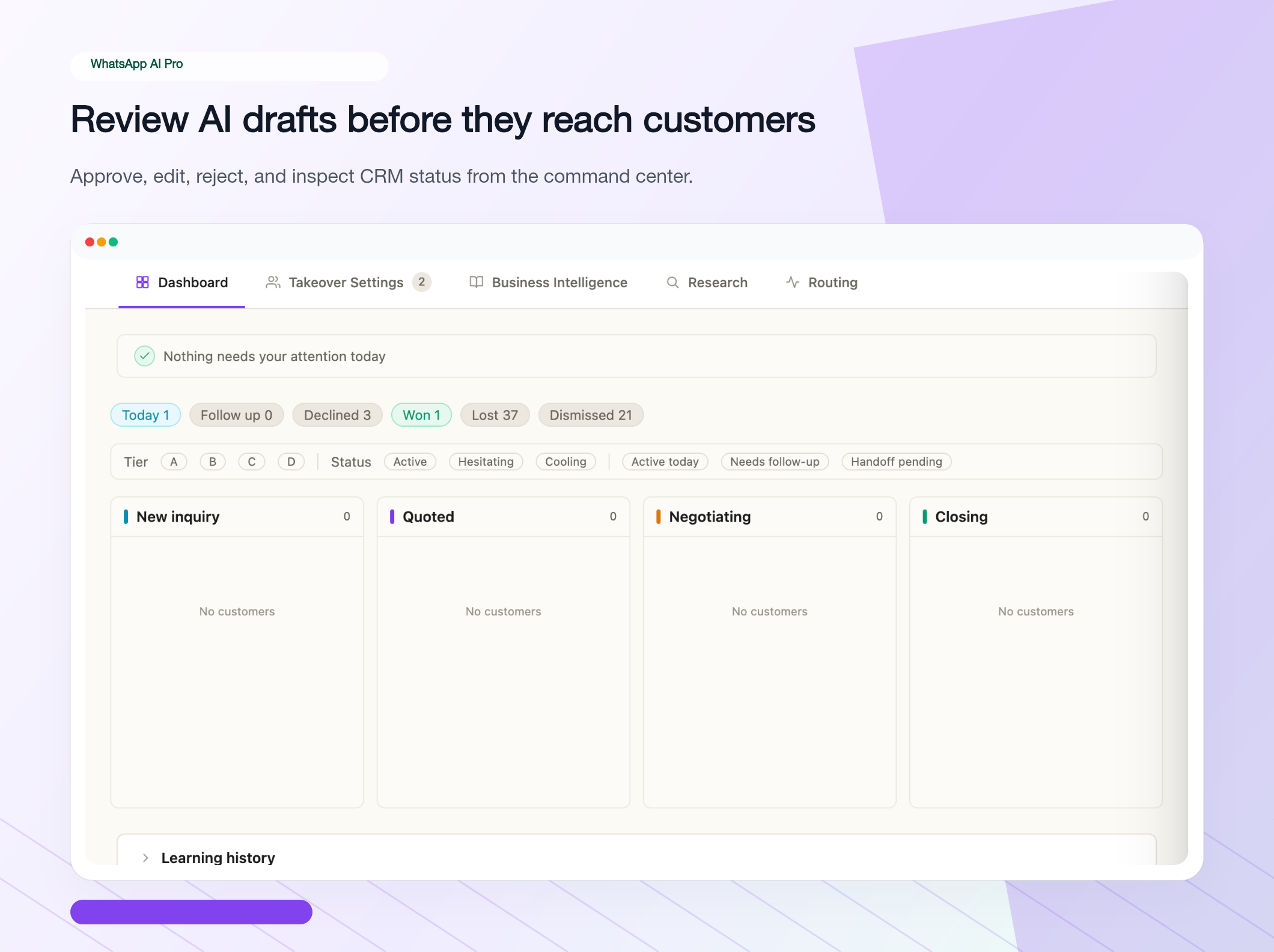
Draft mode is a feedback loop. When you edit a draft before sending, notice what you changed. If you keep fixing the same thing — wrong pricing tier, missing shipping detail, tone too formal — that's a gap in your knowledge base.
Review conversations weekly. Look at where the AI handles things well, and where you keep needing to step in.
There's no clean number for "what percent of conversations the AI can take over." The range we see is roughly 60% in the first week, climbing as you keep filling in knowledge gaps. What's left is what the AI shouldn't be handling anyway — complaints, large negotiations, complicated customer-specific requests.
Things People Get Wrong
Don't flip auto-reply on day one. People install, switch straight to auto, and then a customer gets a wrong-feeling reply that's already out the door. Using draft mode for a few days isn't really about fearing mistakes — it's more like rapid on-the-job training for the agent.
Upload real FAQs, not your marketing copy. Pointing the AI at your brochure doesn't help, because customers don't phrase questions the way brochures phrase features. Take the questions you've actually been asked over the past month or two and upload those.
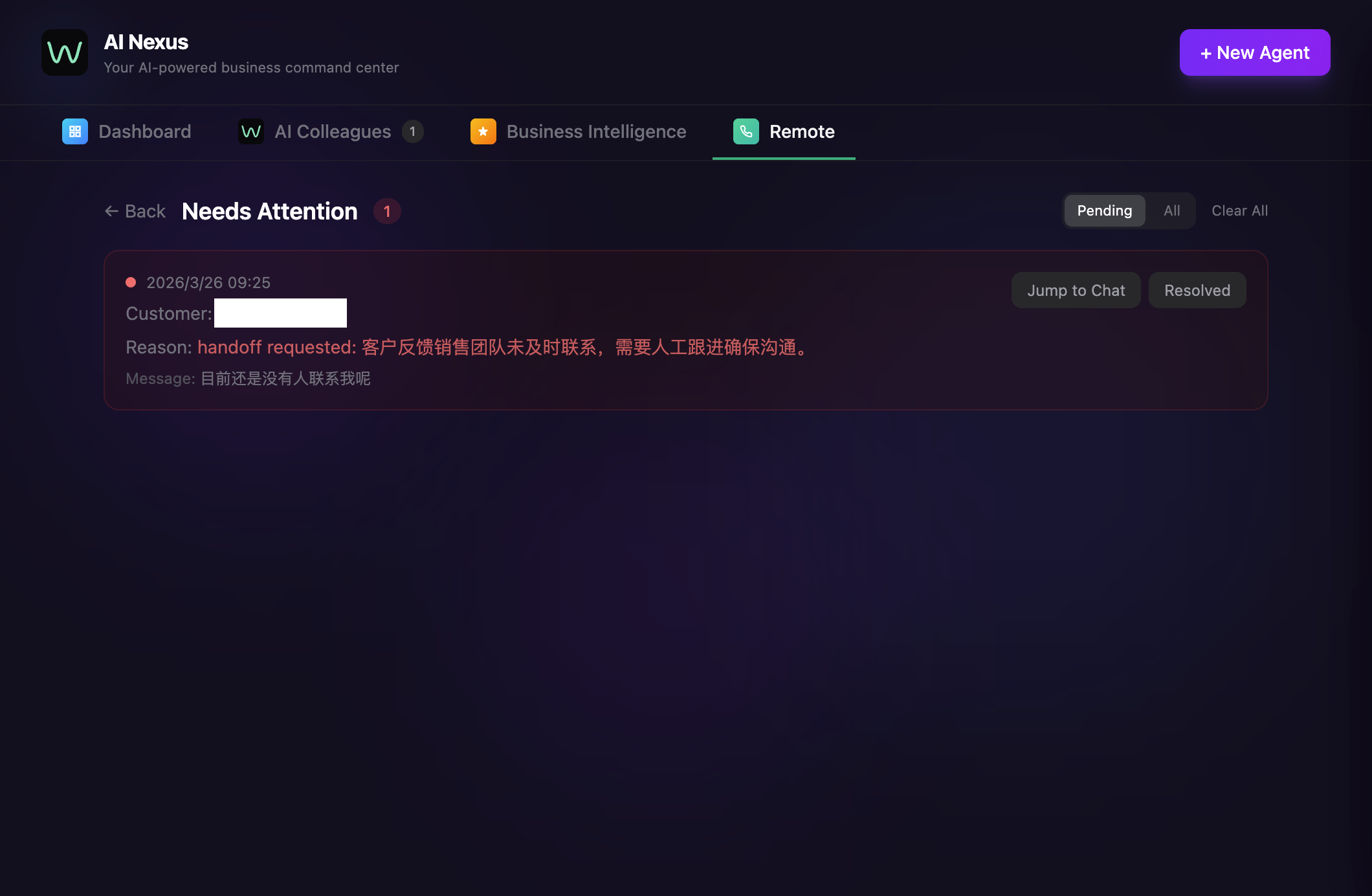
Set escalation rules early. Complaints, refund requests, big-ticket negotiations — never let the AI handle these on its own. Set the rule and it stops and hands them off.
When prices or lead times change, update the knowledge base. Outdated info is worse than no info, because customers will hold you to the old quote.
What Changes Once It's Running
| Metric | Before AI | After AI |
|---|---|---|
| Response time | 2-6 hours | Under 30 seconds |
| Messages per day | ~50 (by team) | 500+ |
| Languages | 1-2 | 90+ |
| After hours | Nothing | Always on |
| Cost per reply | $1-5 (labor) | ~$0.01 (AI inference) |
Numbers based on a small team handling 30-50 daily WhatsApp inquiries. Your results will vary with conversation complexity and knowledge base quality.
Frequently Asked Questions
Does WhatsApp auto-reply need the Business API?
No. This connects through WhatsApp Web — no API application, no Meta business verification, no template approvals, and no per-message fees. Cloud autoresponders like WATI or Respond.io do require the Business API; that's the main practical difference.
Can I use an AI auto-reply on my personal WhatsApp account?
Yes. It works on your existing personal WhatsApp number — no separate business number and no Business API. You scan a QR code like WhatsApp Web, and the AI replies on that account.
Is this better than WhatsApp Business's built-in auto-reply?
They do different jobs. The built-in away message sends one canned line to everyone. An AI auto-reply reads each message, finds the answer in your product docs and pricing sheets, and writes a specific reply in the customer's language. If you get more than a handful of real questions a day, the canned line stops being enough.
Can it handle multiple WhatsApp numbers?
Yes — each number gets its own agent and knowledge base.
What if the AI doesn't know the answer?
It follows your escalation rules — typically that means stopping and notifying you, with the conversation queued for review. A grounded AI answers only from your uploaded documents instead of guessing.
Will WhatsApp ban my account?
WhatsApp AI Pro operates through WhatsApp Web, respects rate limits, and doesn't send unsolicited bulk messages.
How much does WhatsApp AI auto-reply cost?
$49/month flat, or $499/year. Unlimited accounts, messages, and agents. 7-day money-back guarantee.
Fifteen minutes from start to running. Download WhatsApp AI Pro → scan the QR code → upload your product docs → run draft mode for a few days → flip on auto once you trust it.
Prefer the video walkthrough:
Related guides:
- WhatsApp AI Auto-Reply: The Complete Guide — the full overview, start here
- Spam Mixed With Real Buyers: How AI Triage Surfaces the People Who Matter
- One WhatsApp AI for Text and Voice Messages
- Respond.io vs WATI: Full Comparison for Small Teams
- The 7 Best WATI Alternatives in 2026 (Compared)
- How Export Factories Use AI to Handle WhatsApp Inquiries in 8 Languages
- The 11 Best WhatsApp AI Chatbots in 2026 (Compared)