
How One Shenzhen Factory Runs WhatsApp in 8 Languages with AI
Bluetooth earbuds factory in Shenzhen, $2.5M annual exports, three-person sales team. Watching 4-5 hours of daily WhatsApp drop to 1-2 hours after AI took over.
A Shenzhen Factory, Before and After
A Bluetooth earbuds factory in Shenzhen. Annual export revenue around $2.5 million. Three-person sales team. Customers across Southeast Asia, the Middle East, and Latin America.
Before they set up AI: three sales reps spent 4-5 hours a day just handling WhatsApp messages. They could manage English and basic Spanish, but Arabic and Portuguese inquiries moved so slowly that buyers often went elsewhere. Evenings and weekends were dead zones. Quoting errors happened regularly because reps were manually looking up specs and prices across spreadsheets.
After: they created two AI employees — one for pre-sales (product questions and quotes) and one for order tracking. Uploaded their complete catalog (200+ SKUs), standard price sheets, and FAQ documents. Ran draft mode for two weeks with reps reviewing every AI reply. By week three, standard questions were on auto-reply while complex ones stayed human-reviewed.
The results were concrete:
- Arabic and Portuguese inquiries started converting — customers could finally communicate in their own language
- After-hours messages got instant replies with summaries waiting for reps the next morning
- WhatsApp handling time dropped from 4-5 hours to 1-2 hours, focused only on conversations the AI flagged as needing a human
- Quote accuracy went up because the AI pulled directly from uploaded price sheets instead of reps eyeballing spreadsheets
That's one factory. Here's the playbook they followed.
See It in Action
Before we walk through the setup, here's a quick video showing how the AI auto-reply and translation work in practice:
The Problems This Solves
If you're in export, these are probably familiar.
Language. A factory in Shenzhen might get messages in English, Spanish, Arabic, Portuguese, and Vietnamese on the same day. Even with solid English, the other languages mean Google Translate, one message at a time, 5-10 minutes per inquiry. It adds up fast.
Time zones. When Latin American buyers message, it's the middle of the night in China. By morning, they've contacted two other suppliers. WhatsApp customers expect minutes, not hours.
Information scattered everywhere. Dozens of conversations interleaved. Who asked for a quote? Who confirmed samples? Who's waiting for a tracking number? You're scrolling through chat history to piece it together.
Cost. A multilingual WhatsApp sales rep costs $1,000-2,000/month minimum. Covering multiple languages and time zones means multiple hires.
Setup, Step by Step
Step 1: Download and connect
Grab the installer from the download page — macOS (Intel and Apple Silicon) or Windows. Installation takes under a minute.
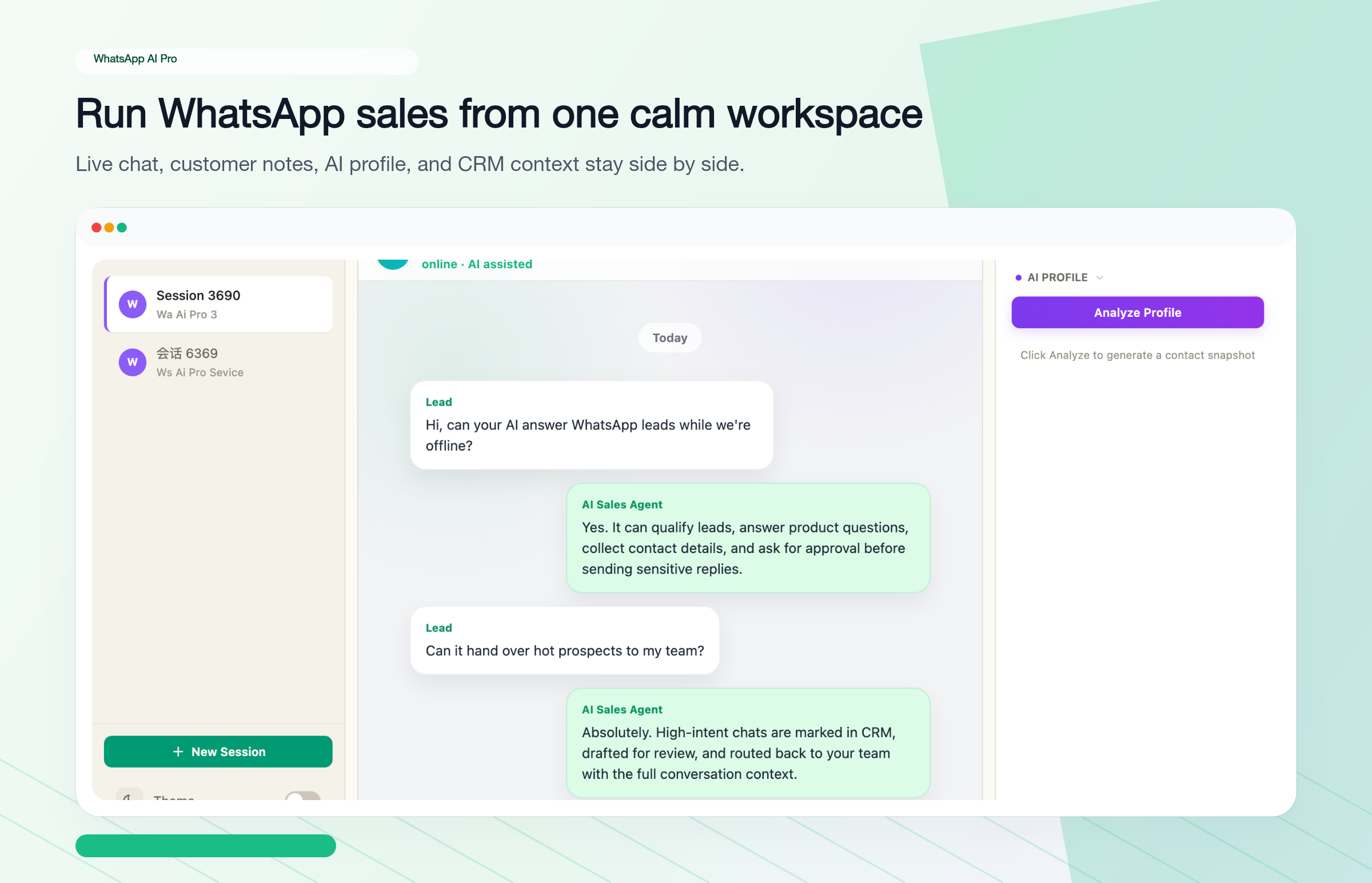
Open the app, click "New Session" in the sidebar, and scan the QR code with your phone (WhatsApp > Settings > Linked Devices > Link a Device). Your chats sync within seconds. Multiple WhatsApp numbers? Repeat for each one.
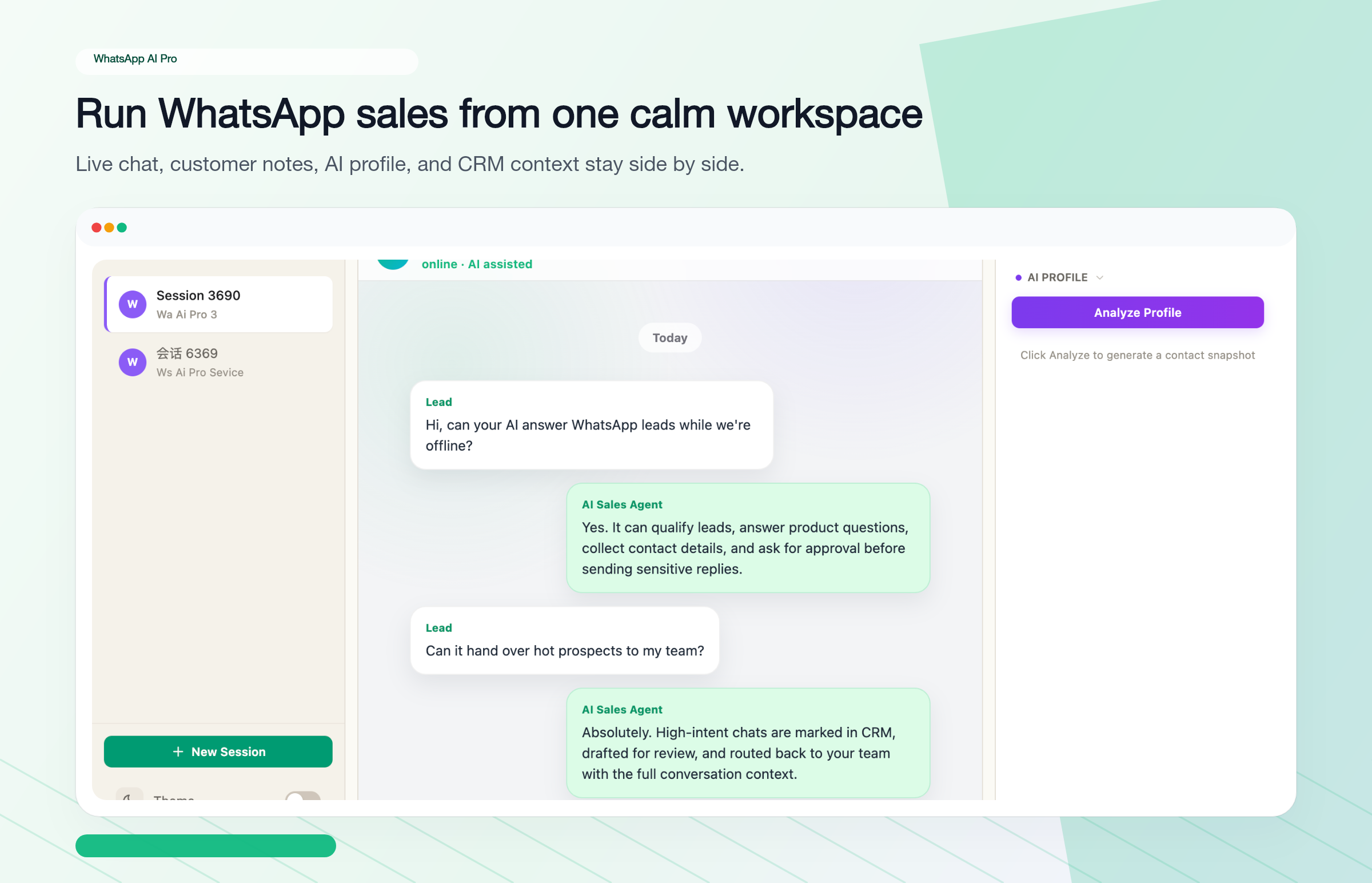
Once connected, you'll see your full conversation list in the main window. The sidebar lets you switch between WhatsApp accounts, and the right panel shows contact details and conversation context at a glance.
Step 2: Create your AI employees
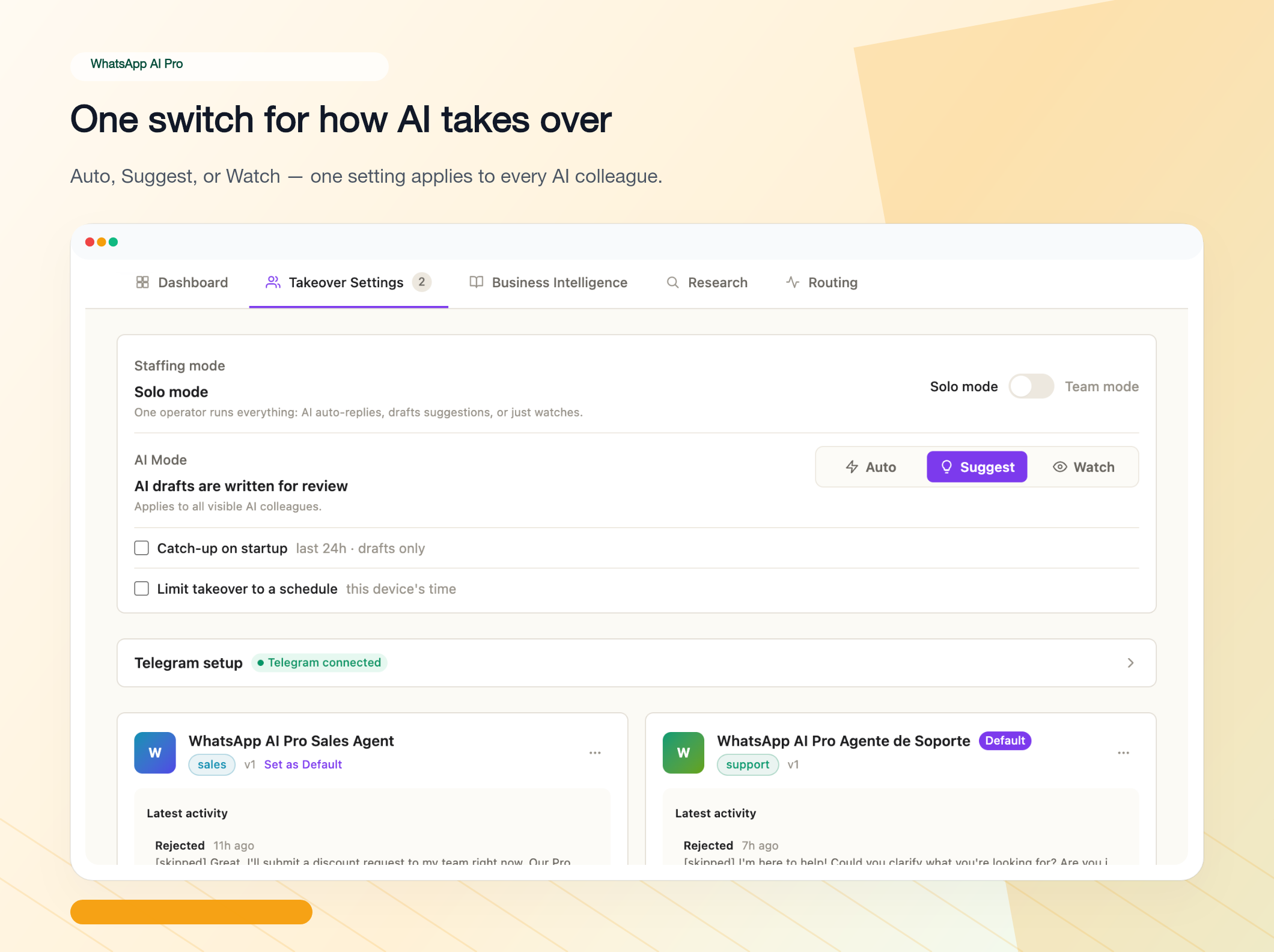
Open AI Nexus from the sidebar and go to the Takeover Settings tab. Two starter AI employees come pre-configured; to add your own, click New Agent, pick a preset — Sales, Support, or Custom — and give it a clear name like "AI Sales - Electronics Division" so your team knows which AI handles what.
Then shape its behavior by chatting with it: click Chat on the agent card, and in the Refine tab tell it in plain language how to work —
- Tone — "formal for B2B" or "casual, like texting"
- Reply strategy — start in Suggest mode so you review every reply before it goes out
- Scope — product inquiries, quotes, stock checks, shipping
- Escalation rules — "flag anything you can't handle: custom solutions, complaints, anything beyond the knowledge base"
You can create as many AI employees as you need. One for pre-sales, one for after-sales, one for follow-ups.
Step 3: Feed it your product knowledge
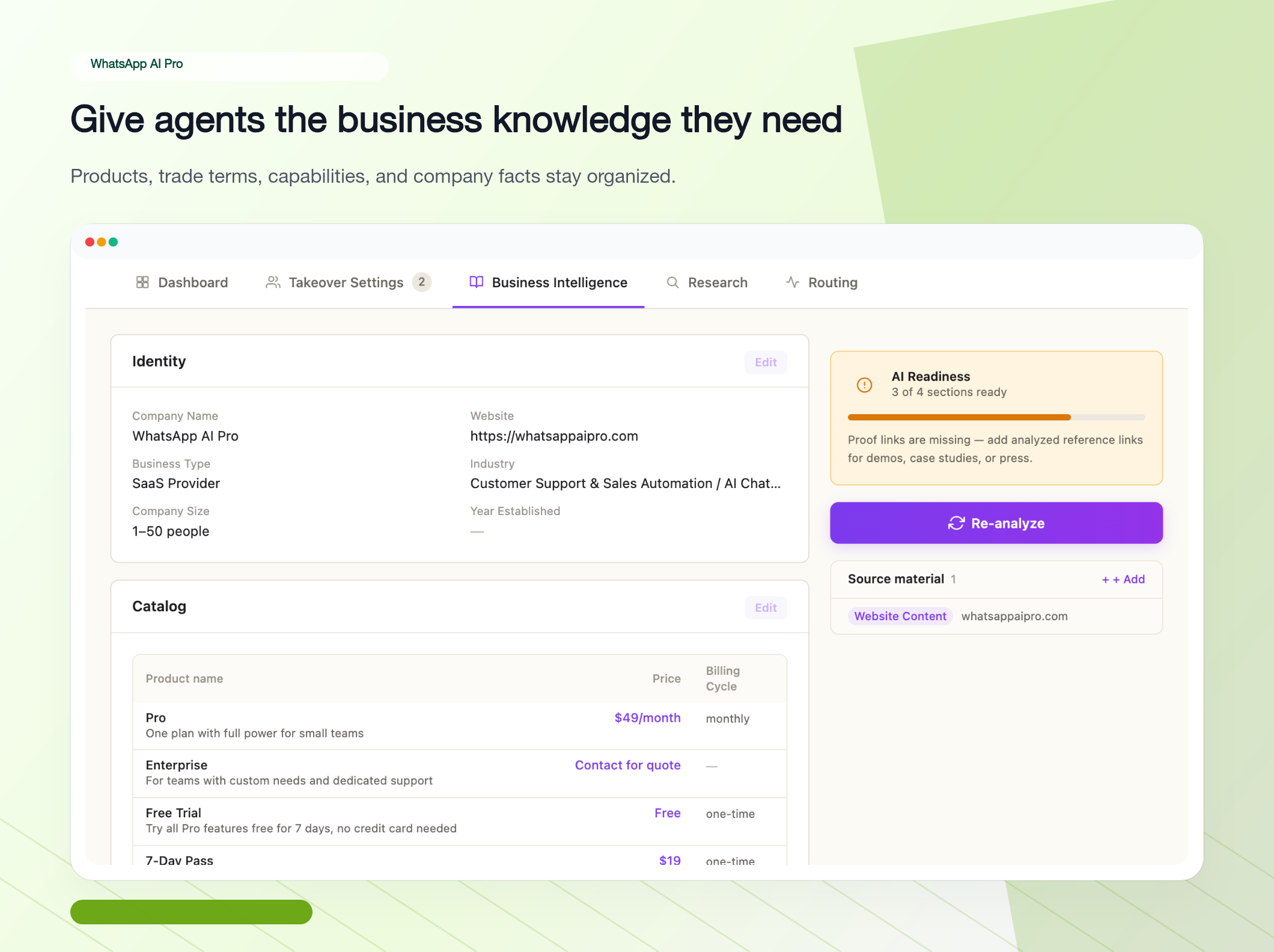
This is where most of the value comes from. Go to AI Nexus's Business Intelligence tab and upload:
- Product catalogs (PDF or Excel) with names, model numbers, specs, prices
- Quote templates so the AI matches prices to inquiry quantities
- FAQ documents with your real common questions and standard answers
- Company profile — factory scale, certifications, partner brands
- Shipping info — methods, transit times, costs by destination
The system parses and indexes everything. The AI references this data when replying — it doesn't improvise.
A practical tip: start with whatever you use most when replying to customers. If 80% of inquiries are about pricing, MOQ, and lead times, get those three documented first. You can always add more later.
Step 4: Translation is already on
There's nothing to configure here anymore. Auto-translate and voice transcription are on by default: every incoming message is translated into your interface language (look for the Translate → badge in the session header), and voice messages are transcribed and translated automatically. Voice messages are huge in Brazil and the Middle East — this alone saves hours.
The system detects each customer's language on its own. No manual configuration per contact. It reads 90+ languages, with strong support for the trade staples: English, Spanish, Portuguese, Arabic, French, Vietnamese, Thai, Indonesian, Russian, Turkish — and the AI replies to each customer in their own language.
Step 5: Test in Suggest mode
In Takeover Settings, set the global AI Mode to Suggest and run it for 1-2 weeks before going full auto. Here's how it works:
- Customer sends a message
- The AI generates a reply draft
- The draft lands in your pending-approvals queue
- You approve it as-is, edit it, or write your own
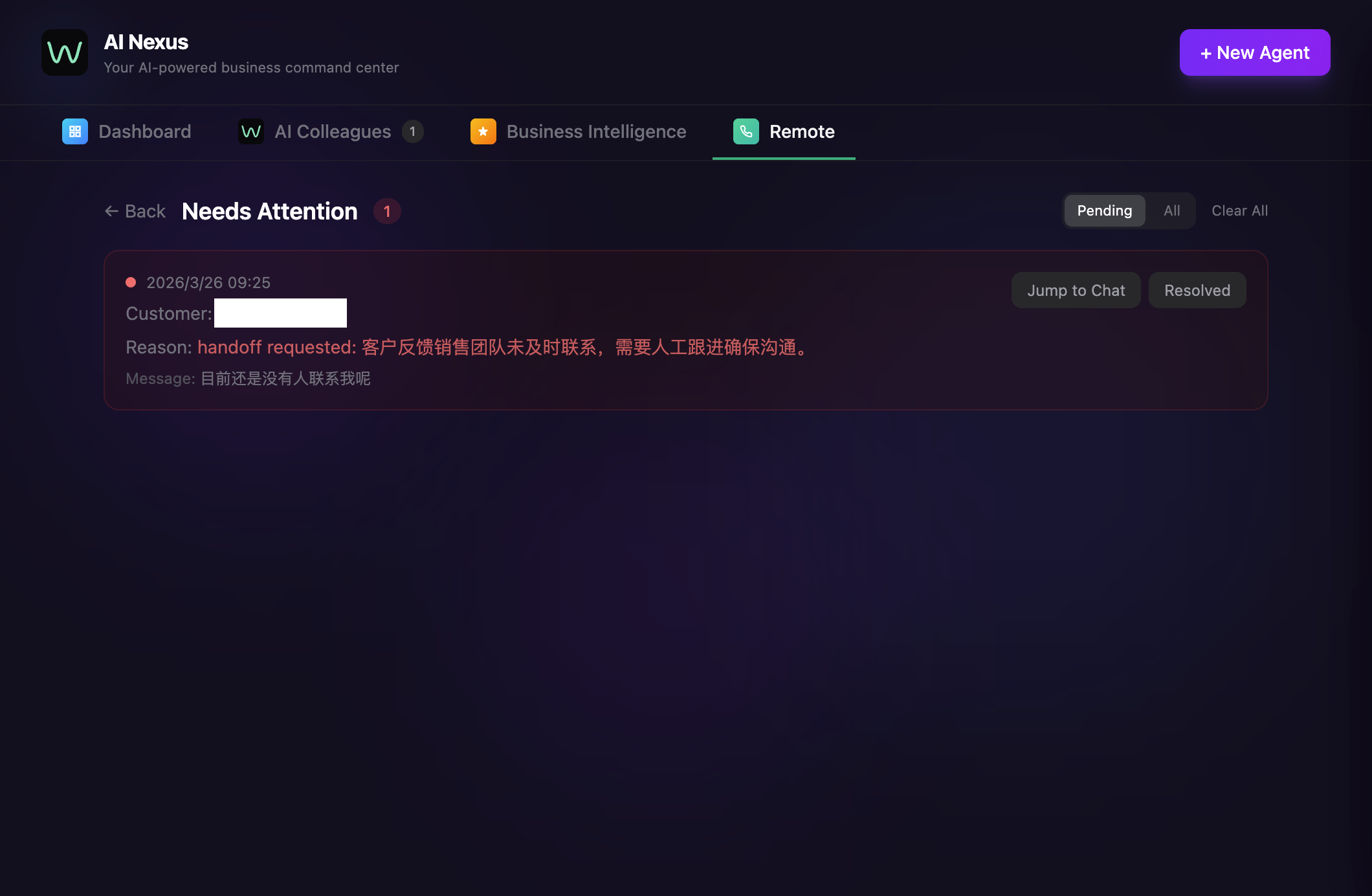
This phase is about verifying the AI understands your products accurately, adjusting tone, and spotting knowledge base gaps. Once 90%+ of drafts are going out without edits, you're ready for auto mode.
Step 6 (Optional): Set up remote monitoring via Telegram
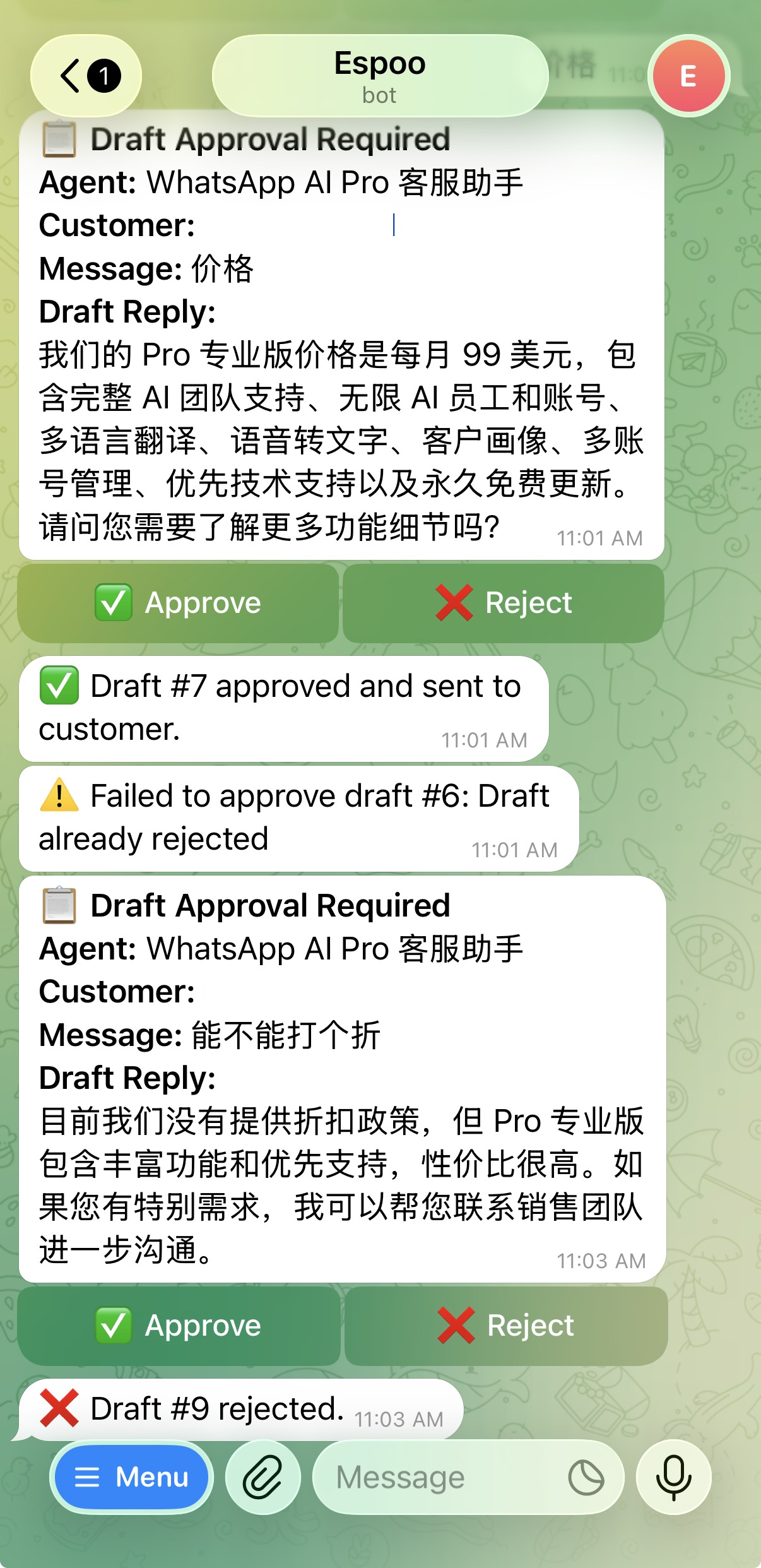
If you want to monitor and approve AI replies from your phone without opening a laptop, connect the Telegram integration. You'll receive notifications when the AI needs your input, and you can approve or edit replies directly from Telegram.
What Changes After You Automate — Patterns Across Factories
The Shenzhen numbers aren't unique. Watching dozens of export teams make this switch, the same things happen in roughly the same order:
The night shift runs itself. Dubai messages at your 1 AM, Brazil at your 3 AM — the AI handles both, and by morning those conversations are two or three messages deep. Overnight goes from dead time to your most productive sales window.
You find out what buyers actually ask. With humans answering, the knowledge stays in heads; nobody notices that 30% of inquiries are about shipping to South America, or that buyers keep asking about a certification your website never mentions. With every AI conversation reviewable, those patterns surface within weeks — and tell you exactly what to add to your catalog and FAQ.
The 80/20 split becomes obvious. Around 80% of messages are routine (specs, pricing, MOQ, shipping, catalog requests) — the AI takes all of it. The 20% that needs you — custom quotes, negotiations, complaints, big orders — finally gets your full attention.
Keep the sensitive stuff on human review. Even at full auto, tell the agent (via a Refine instruction) to hold these as drafts: custom quotations (the AI may not know your latest margins), orders above a set threshold, complaints or disputes, payment discussions, and anyone who asks for a human.
The feedback loop is the multiplier. Week one the AI confidently handles ~60% of inquiries; review conversations 30 minutes a week and patch the knowledge base, and it's ~85% by week four, ~95% by week eight. That habit is what separates "we tried a chatbot once" from "our AI handles 200 conversations a day."
The Numbers
Here's what the math looks like for a factory handling about 50 WhatsApp inquiries per day across 5-6 languages.
Cost comparison:
| Item | Manual Approach | With AI |
|---|---|---|
| Staff required | 2-3 multilingual reps | 1 rep + AI |
| Monthly labor cost | $3,000-6,000 | $1,000-2,000 |
| Software cost | Translation tools ~$30/mo | $49/mo |
| Coverage hours | 8-10 hours | 24 hours (while app runs) |
| Languages | 2-3 | 90+ |
| Total monthly | ~$3,200-6,200 | ~$1,200-2,200 |
Speed and capacity:
| Metric | Manual | AI-Assisted |
|---|---|---|
| First reply time | 30-120 minutes | 1-3 minutes |
| Time per inquiry | 5-10 minutes | 0.5-2 minutes (review mode) |
| Daily capacity | 30-50 per person | 200+ |
| After-hours replies | None | Instant |
Roughly: labor costs drop 50-70%, reply speed improves 10-30x, capacity goes up 4-5x. These numbers vary with product complexity and how diverse your customer questions are, but the direction is consistent.
Common Questions
Will the AI send wrong information? Two safeguards: draft mode lets you review every reply first, and the AI only answers from your uploaded materials. If a question falls outside the knowledge base, it says something like "Let me confirm this and get back to you" instead of guessing.
Can customers tell it's AI? The replies use your product data, your tone, your style. From the customer's side, it looks like a fast, knowledgeable sales rep. The AI doesn't announce itself as AI.
What about data security? Everything stays on your computer. Chat history, customer info, product data — none of it goes to our servers.
Do I need the WhatsApp Business API? No. WhatsApp AI Pro connects via QR code, same as WhatsApp Web. No Business API application, no Meta approval process.
Multiple WhatsApp numbers? Yes. Each number is a separate session in the sidebar with its own AI employees and knowledge base.
Does it work when my computer is off? No — it's a desktop app. Keep it running on a work computer, or for 24/7 operation, use a dedicated machine or cloud desktop.
Worth Trying?
If your export team spends significant daily time on repetitive WhatsApp inquiries — answering the same pricing questions, the same shipping questions, the same "do you have this in stock" questions, in languages you may or may not speak — this is built to fix exactly that.
The setup takes about 15 minutes. You can start in draft mode with zero risk — review every AI reply before it goes out, and only switch to auto mode when you're confident.
Download now with a 7-day money-back guarantee. Questions? Reach us on WhatsApp: +64 20 4046 6889.
The complete guide: WhatsApp AI Auto-Reply: everything in one place →