
How WhatsApp AI Pro Works
Connect WhatsApp, configure your assistant in Nexus, and review replies, customer records and follow-ups in one workflow.
One AI brain for the whole customer journey
See how WhatsApp AI Pro connects AI replies, customer memory, CRM, reminders, follow-ups and learning — with you in control.
Explore the full-workflow WhatsApp AI assistantOne Assistant for Sales and Support
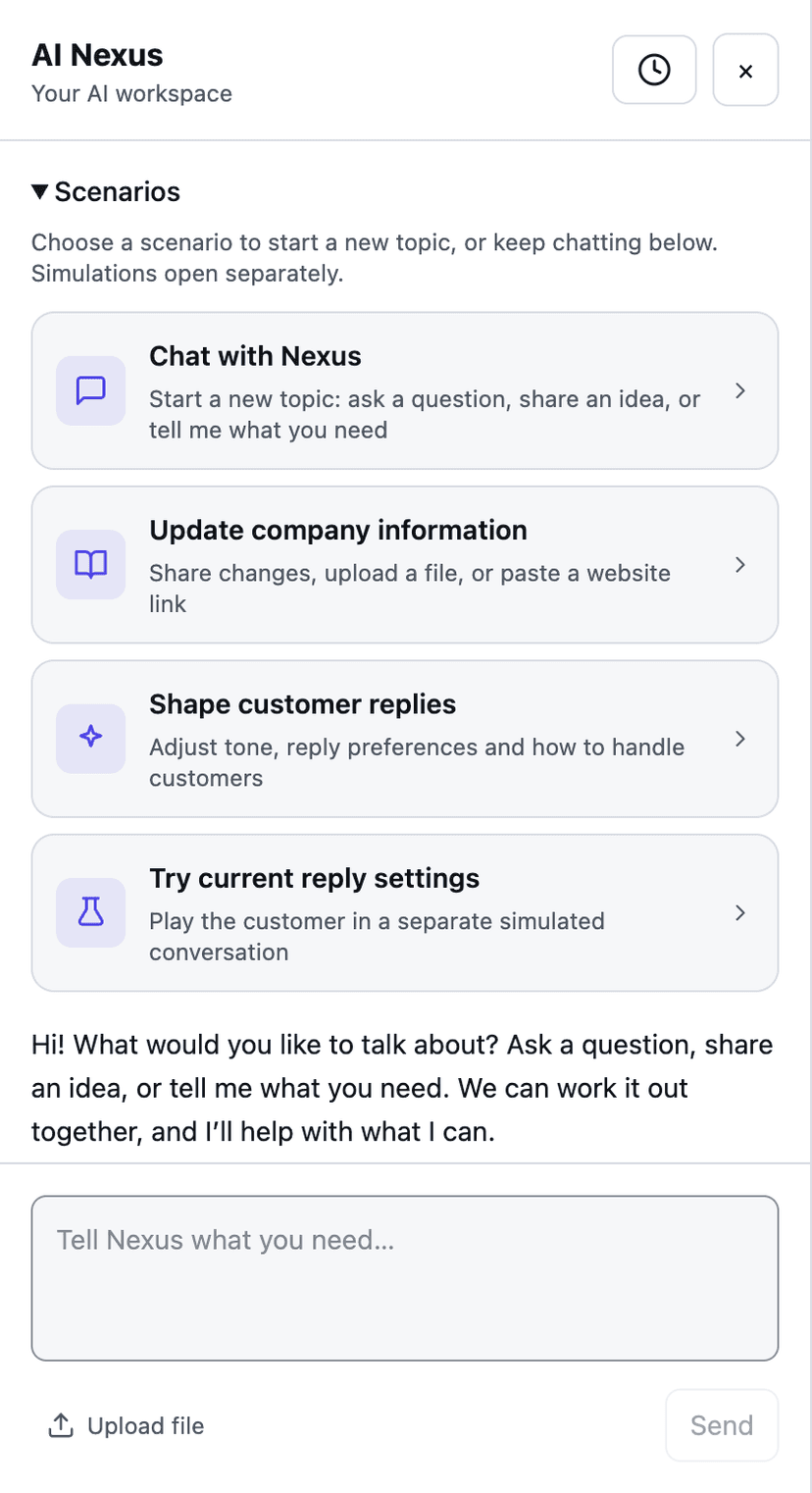
Each workspace has one assistant for sales and support. Use AI Nexus to update company facts and reply preferences, test customer questions, and refine drafts before approving them.
- Three work modes — fully automatic, draft for your approval, or observe only
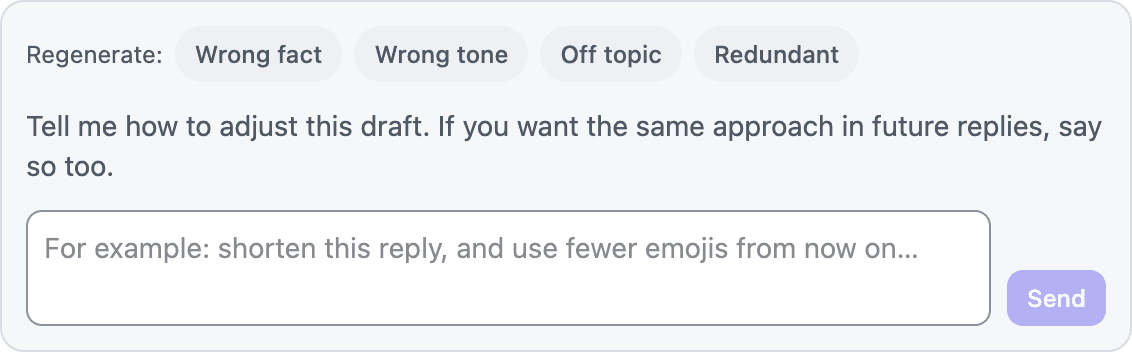
- Use Nexus to adjust reply style and refine the current draft
- One workspace assistant with shared business knowledge and reply preferences
- Test replies in a separate simulation without messaging customers
Never Lose a Deal to a Forgotten Follow-Up
AI prepares follow-ups using the customer's stage, recent conversation and configured rules. Checks run around 09:00 and 16:00 on your computer's clock while the app is running. Suggest mode creates drafts; eligible replies in Auto mode can be sent after checks. Delivery is not restricted to the customer's local business hours.
- Today's Plan — who needs you now, what AI plans to do, and which relationships are at risk
- Commitment ledger — every promise you make is tracked; due follow-ups arrive as drafts for your approval
- Auto follow-up — personalized messages that reference the real conversation, not templates
- Follow-up checks run around 09:00 and 16:00 on your computer's clock while the app is running; sending depends on the current mode and checks

AI Remembers Every Customer
AI builds a continuing memory of each relationship — company, budget, preferences, intent, active objection, order history, deal stage, and promises your team made. It follows the person across conversations and is stored in a local database on your computer.
- Living customer profiles — company, budget, preferences, intent, decision maker
- A-to-D lead ranking — focus on the customers that matter most
- Chat summaries — get caught up on any conversation in seconds
- Relationship history — remember objections, stage changes, and promises

Win Back Quiet Customers with AI-Personalized Broadcasts
Reactivate customers who went silent. Give AI the purpose of this round; it reads each customer's chat history, judges for each one whether to reach out — skipping the ones it doesn't fit — and writes every message individually, sent from your own number at a human pace.
- Audience = customers with chat history in the session you pick, filtered by recent activity
- AI judges each customer first — anyone the message doesn't fit is skipped, not spammed
- AI rewrites each message from that customer's chat history and profile — not a template with names swapped in
- Messages go out from your own WhatsApp number — the one your customers already know

Teach Your AI Everything About Your Business
Upload catalogs, price lists, and policies, or paste your website URL. AI checks replies against approved business facts before they go out.
- Upload docs or connect an Excel/CSV file or Google Sheet
- Industry-specific profiles — manufacturing, SaaS, services, trading
- When one fact is missing, AI asks you with focused answer options instead of guessing
- AI understands customer voice notes and can turn a draft into a voice reply

Competitive Intelligence on Demand
Generate reports from your business context: competitor intelligence, market profile, target customers, channels, regulatory considerations and SWOT. Saved reports provide context for your workspace assistant.
- SWOT analysis — strengths, weaknesses, opportunities, threats
- Competitor identification and market positioning
- Six one-click report types, from competitor intel to regulatory checks
- Reports are grounded in your company profile — and improve as you enrich it

You Stay in Control, Always
Review, edit, approve, or reject AI drafts. When one business fact is missing, AI asks you a focused question and remembers the confirmed answer. Conversations that truly need human judgment still hand off with the reason and full context.
- Draft approval queue — review, edit, and approve AI replies before sending
- Ask before guessing — answer once, and AI can reuse the confirmed fact
- Auto-forward — approve or reject drafts from Telegram, Slack or WeCom on your phone
- Human reply cooldown — AI pauses when you jump in, resumes when you're done
Review AI Replies From Your Phone
Turn on Auto-forward and AI drafts that need approval, plus conversations that need you, arrive in the chat app you already use — Telegram, Slack or WeCom. Review drafts, approve or reject with one tap, right from your phone.
- Telegram, Slack or WeCom — pick one, set up in minutes
- Draft notifications — see what AI wants to say and approve or reject instantly
- Handoff alerts — get notified when AI flags a conversation for you
- Inline keyboard buttons — approve, reject, or review with one tap

Let AI Help You Serve Customers
Connect WhatsApp, add your company facts and review a first reply. Keep improving the assistant's responses through AI Nexus.
14-day free trial, no credit card. Then $49/mo — cancel anytime.