
Telegram Remote Control: Manage Your WhatsApp AI From Your Phone
Approve AI replies, get handoff alerts, and control your WhatsApp sales from anywhere — all through a Telegram bot on your phone.
We Built This Because We Kept Missing Things
WhatsApp AI Pro is a desktop app. That's by design — your data stays on your machine, the AI runs through your local setup, and you get full control. But desktop apps have an obvious limitation: you have to be at your desk.
We kept running into the same problem ourselves. The AI is handling conversations, a tricky message comes in that the AI flags for review, and we're... not at the computer. Out for lunch. In a meeting. At the airport. By the time we get back, the buyer has moved on.
So we built Telegram Remote Control. It's simple: connect a Telegram bot to WhatsApp AI Pro, and your phone becomes a remote control for your AI agent.
Watch the setup and approval flow in the tutorial video (skip to the Telegram section near the end):
How It Works
When your AI agent needs your input — a draft that needs approval, a conversation flagged for handoff, a high-priority lead — it sends you a Telegram message. The message shows you the customer's question, the AI's suggested reply, and three buttons: Approve, Edit, Reject.
Tap Approve. Done. Three seconds. The reply goes out on WhatsApp and you go back to whatever you were doing.
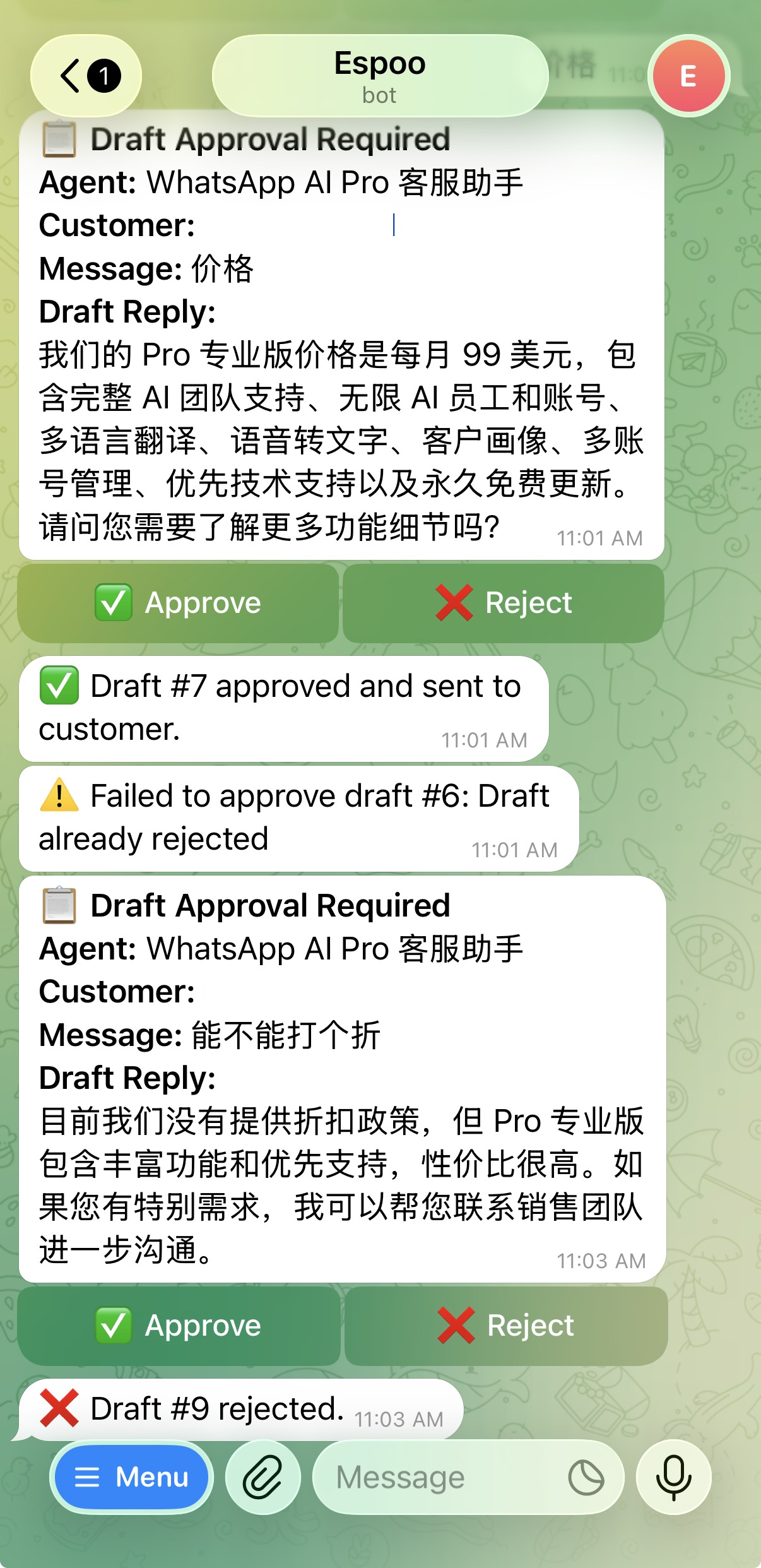
If the AI's draft isn't quite right, tap Edit, rewrite it, send. If you want to take over the conversation entirely, you can do that too — type your own replies through Telegram and they go out as WhatsApp messages.
Why Telegram and Not Just... WhatsApp?
Because you can't run WhatsApp AI Pro on your desktop WhatsApp and also reply from WhatsApp on your phone at the same time. WhatsApp Web sessions conflict. Telegram is a completely separate channel — it's your management layer sitting on top of WhatsApp without interfering with it.
The customer sees a WhatsApp message. They have no idea you approved it from a Telegram chat while standing in a grocery store checkout line.
Setting It Up
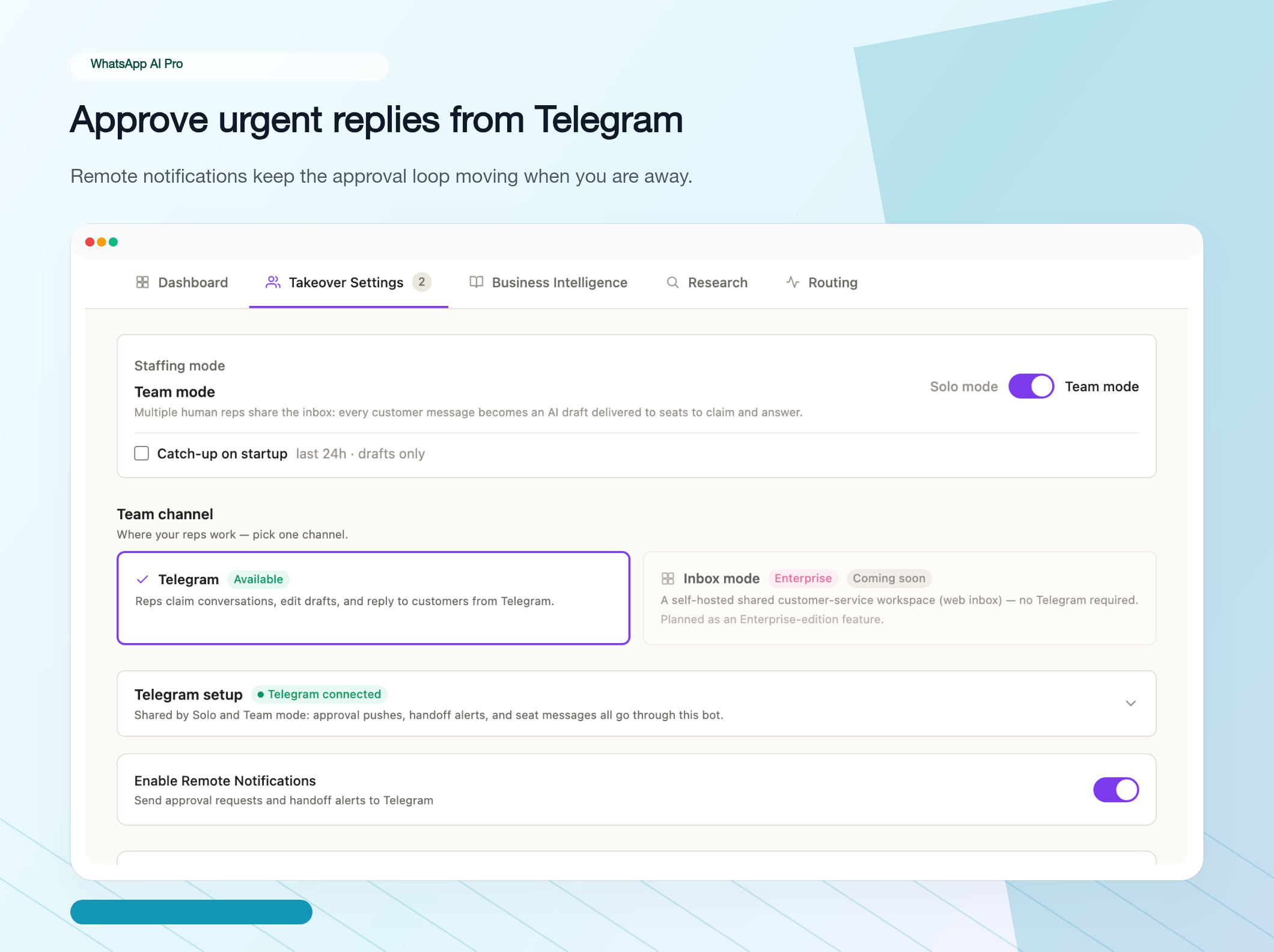
Everything lives in AI Nexus → Takeover Settings, under the Telegram setup section:
- In Telegram, message @BotFather, send
/newbot, and copy the token it gives you. - Paste the token into the Telegram Bot Token field and toggle Enable Remote Notifications.
- Send
/startto your new bot. - Click Bind Telegram, then Test Connection — you should get a test message on your phone.
That's the whole setup. From then on, every draft that needs your input arrives as a Telegram card with buttons.
When It Matters Most
Honestly, most of the time you won't need it. If your AI is well-configured with a good knowledge base, it handles 90%+ of conversations on its own. You review things once or twice a day at your desk and everything's fine.
But for that 10% — the $50,000 inquiry where the AI flagged the pricing for review, the angry customer who asked for a human, the new product question the AI hasn't been trained on yet — being able to respond in 30 seconds from your phone instead of 3 hours later from your laptop makes a real difference.
It's also a great bridge for people who aren't ready to trust the AI fully. Run everything in draft mode, approve through Telegram throughout the day, and watch the AI get it right 19 times out of 20. After a week of that, most people are comfortable letting the routine stuff auto-send.
Download WhatsApp AI Pro — Telegram remote control included in every plan.