
What Is OpenClaw? And What Businesses Need Beyond a Personal WhatsApp AI
OpenClaw brings AI agents to WhatsApp for personal use. But customer-facing businesses need more: multilingual replies, product knowledge, and approval workflows. Here's the difference.
OpenClaw, quickly
OpenClaw is an open-source project by Peter Steinberger that connects AI to your messaging apps — WhatsApp, Telegram, Discord, others. You bring your own API keys, run it on your machine, and suddenly you can ask your WhatsApp chat to check flights, manage your calendar, or look things up on the web. It has 50+ integrations and you can build custom plugins.
It's genuinely cool. And it proved something the industry had been dancing around: people want AI inside their existing chat apps, not in yet another separate tool.
Where it stops and business starts
OpenClaw is a personal assistant. It answers your questions. You trust it, you control it, you're the only user.
Business is different. You need AI that answers your customers' questions. And that flips basically every assumption.
Your customers message in Portuguese, Arabic, Vietnamese — sometimes all in the same hour. They ask about products you sell, not general knowledge. They need accurate prices from your catalog, not best guesses. And if the AI says something wrong to a customer, that's not a "whoops, let me try again" moment — that's a lost deal or a support nightmare.
| OpenClaw (Personal) | WhatsApp AI Pro (Business) | |
|---|---|---|
| Who's it talking to? | You | Your customers |
| Language needs | Your language | 15+ languages, auto-detected |
| Knowledge source | General + web | Your product catalog, pricing, specs |
| If it's wrong | You shrug it off | Customer leaves |
| Accuracy bar | Good enough | Must quote exact prices |
| Control | You trust it fully | Draft mode: review before sending |
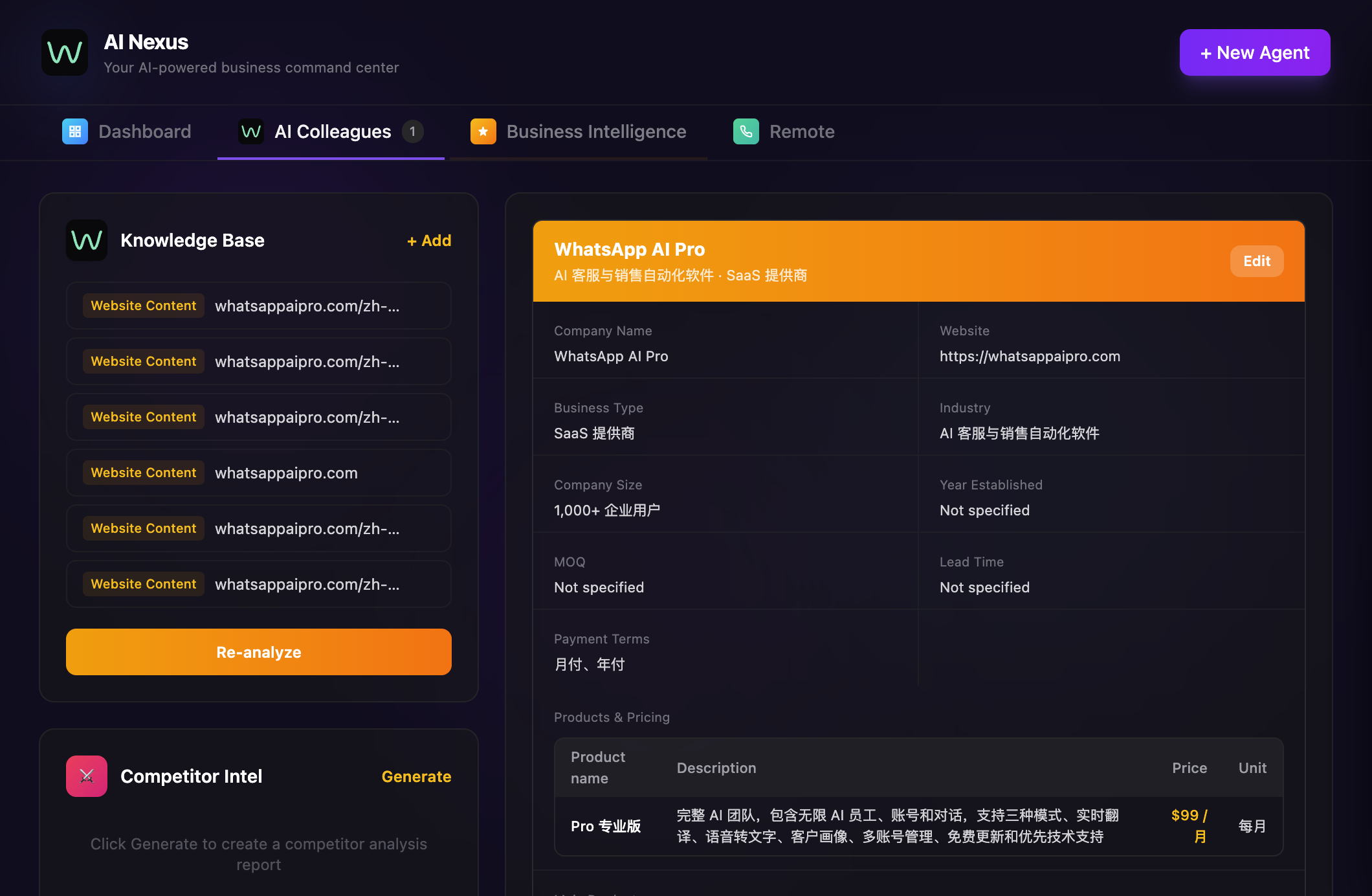
What WhatsApp AI Pro actually does differently
Instead of one general-purpose assistant, you create specialized AI employees — a sales agent, a support agent, an after-sales agent. Each one has a different role, different knowledge, different tone.
You upload your product catalog, price lists, and company policies. When a customer asks "what's the price for 1000 units of 5m LED strip lights?", the AI quotes your actual price from your actual catalog. Not a guess. Not a web search result.
The safety net matters too. You start in draft mode — the AI writes every reply, you review and approve before it goes to the customer. After a couple weeks, once you see it's handling the routine stuff well, you flip common scenarios to auto-reply and keep draft mode for anything involving pricing or custom orders. Gradual trust, not blind faith.
And all of this runs locally. Like OpenClaw, WhatsApp AI Pro keeps your customer database, conversation history, and business documents on your computer. Only the minimum context needed goes to the AI model. Your full data set never leaves your machine.
The cross-border angle
If you're selling internationally on WhatsApp, you know this pain: a Brazilian buyer messages at 3 AM in Portuguese, an Arabic inquiry comes in asking about MOQ and FOB pricing, a Vietnamese customer wants specs you only have in English. You can't hire a support person for every language. You can't respond to every timezone within minutes.
This is the specific problem WhatsApp AI Pro was built for. The AI handles all of it — translation, product knowledge, quoting, follow-ups — in whatever language the customer writes in. Your $99/month flat rate covers all of it. Compare that to hiring even one multilingual employee.
Getting started
- Download WhatsApp AI Pro (macOS and Windows)
- Scan the QR code to connect your WhatsApp
- Create your first AI sales agent
- Upload your product catalog
- Start in draft mode — review what the AI sends before trusting it on auto
Takes about 5 minutes. There's a 7-day money-back guarantee if it's not what you need.
Want to try AI-powered WhatsApp automation for your business? Download WhatsApp AI Pro — 7-day money-back guarantee.
OpenClaw is an open-source project by Peter Steinberger. WhatsApp AI Pro is not affiliated with OpenClaw.