
Best Practices for Configuring AI Agents
Tips for training your AI agents to handle customer inquiries accurately and professionally.
Start With Suggest Draft. Seriously.
If you take one thing from this entire article, let it be this: do not turn on auto-reply on day one. Run your AI agent in Suggest Draft mode for at least two weeks first. The agent writes a reply, you review it, you send it. That's the training period where you learn what the AI gets right and — more importantly — where it goes sideways.
After two weeks, if you're approving 90%+ of drafts without changes, flip the switch to auto-reply. If not, your knowledge base has gaps. Fill them. Try another two weeks.
Manual Observe mode also exists — the agent just watches conversations silently. Useful if you want to collect data before enabling anything. But for most people, Suggest Draft is where you should live for the first few weeks.
Your Knowledge Base Is the Whole Game
An AI agent without good reference material is just a very confident guessing machine. The quality of replies maps directly to the quality of what you upload.
Start with the documents you already have. Product catalog with descriptions, specs, and pricing. Your FAQ — the real one, not the aspirational one, the actual top 50 questions customers ask. Shipping and returns policy. Common objections and how you handle them. Pricing rules for discounts, minimum orders, bulk breaks.
Skip internal jargon customers would never use. Remove anything outdated. If two documents contradict each other on return policy, the AI will pick one at random and sound confident about it.
A good practice: review your knowledge base once a month. Products change, policies change, prices change. Your AI doesn't know that unless you tell it.
The Four Safety Layers You Should Actually Configure
WhatsApp AI Pro has a four-layer security model. Here's what each one does and when it matters.
Structured Envelope Validation wraps critical information — prices, delivery dates, warranty terms — in structured data. The AI can only quote from verified entries. This means it can't hallucinate a price that doesn't exist in your catalog. If you sell anything where quoting the wrong number causes real problems, set this up first.
Forbidden Word Filtering is a blocklist. Competitor names, unverified claims like "guaranteed" or "100% safe," internal code names — anything the AI should never say out loud. Simple but effective.
Sensitive Data Detection automatically blocks API keys, internal URLs, and similar data from leaking into customer conversations. This one mostly runs in the background and catches things you'd forget to think about.
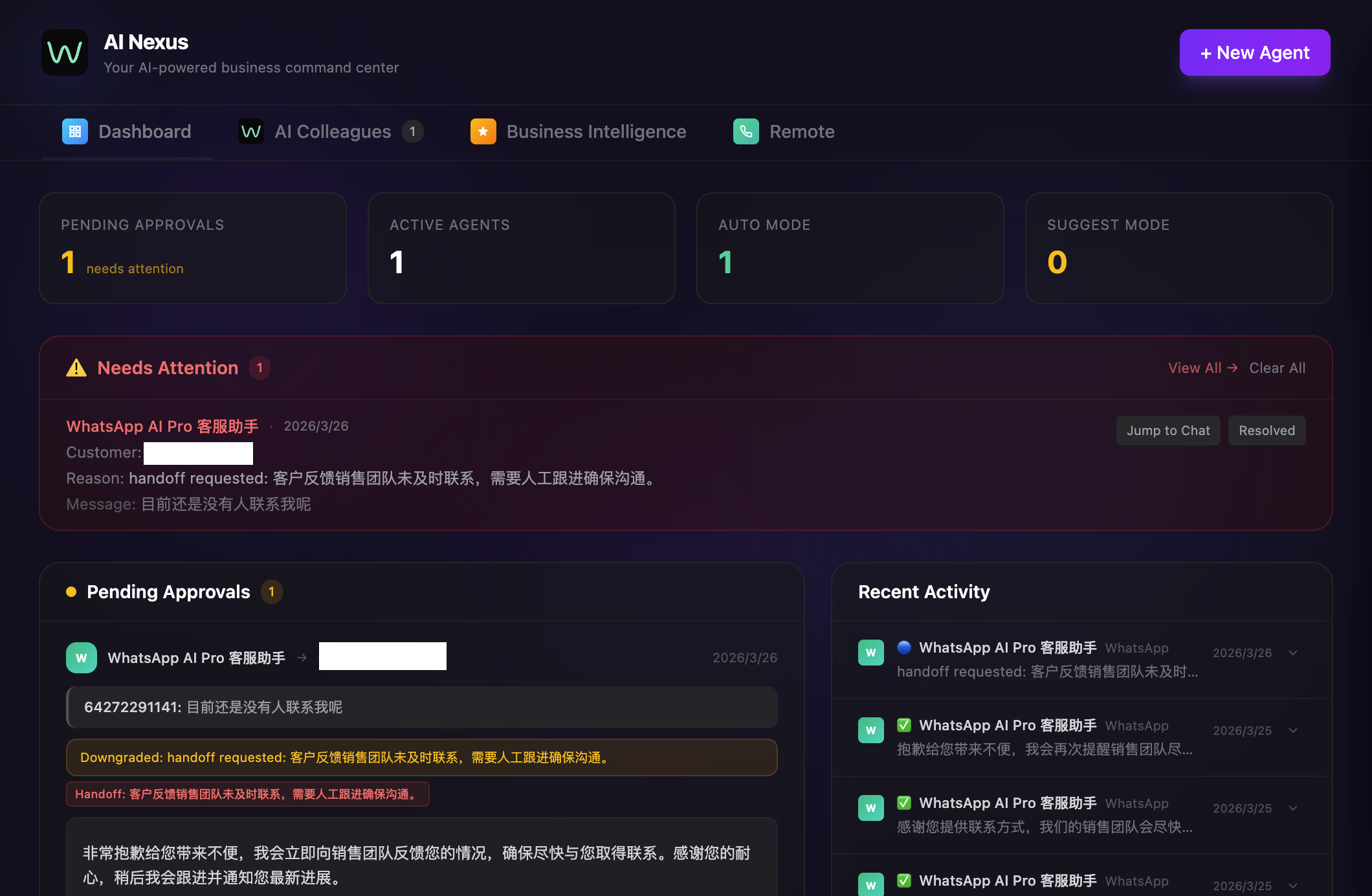
Human-in-the-Loop Escalation is where you define the triggers for handing a conversation to a real person. Conversations mentioning legal issues, requests above a certain order value, drops in customer sentiment. This is your safety net for the stuff AI genuinely shouldn't handle alone.
After You Launch: What to Actually Monitor
The temptation is to set everything up, see it working, and walk away. Don't.
Weekly: pull up the flagged conversations and look for patterns. If the AI keeps stumbling on the same type of question, that's a knowledge base gap. Fix it once, fix it for good.
Monthly: update the knowledge base. New products, changed policies, seasonal pricing. If your knowledge base is three months stale, your AI is three months stale.
Ongoing: keep an eye on your auto-resolution rate, escalation rate, and customer satisfaction. If escalations suddenly spike, something changed — a new product launch with missing info, a policy update you forgot to upload, a seasonal surge in a question type the AI hasn't seen before.
A/B testing different response tones can be surprisingly effective too. Some customer bases respond better to formal language, others to casual. Test it.
The Mistakes That Actually Hurt
Going full auto too fast. Start conservative and expand. The cost of a bad AI reply to a real customer is higher than the cost of reviewing drafts for another week.
Ignoring the edge cases. The 20% of questions the AI can't handle are usually the highest-stakes ones — complaints, custom orders, urgent issues. Make sure those have a clear escalation path.
Set-and-forget. AI agents need tuning just like human team members. The difference is that tuning an AI agent means updating a document, not having a performance review.
No path to a human. Always, always give customers a way to reach a real person. Even if it's rarely used, knowing it exists changes how people feel about talking to an AI.
Ready to set up your first agent? Get started — the in-app wizard walks you through everything covered here.